fb-trigger
Build better patches on the gear you actually own.Build better patches on the gear you actually own.
Checking current offer…

Build better patches on the gear you actually own.

Patchwise helps guitarists and bass players build high-quality sounds on their own modeler, profiler, amp-sim plugin or modeling amp. Make a playable patch on day one, learn why it works, then build a bank that holds up live, in recordings and in clips.
  • Build your first usable patch on your own gear
  • Understand the gain, EQ, cab and effects choices behind it
  • Build a level-matched bank for live playing, recording and clips
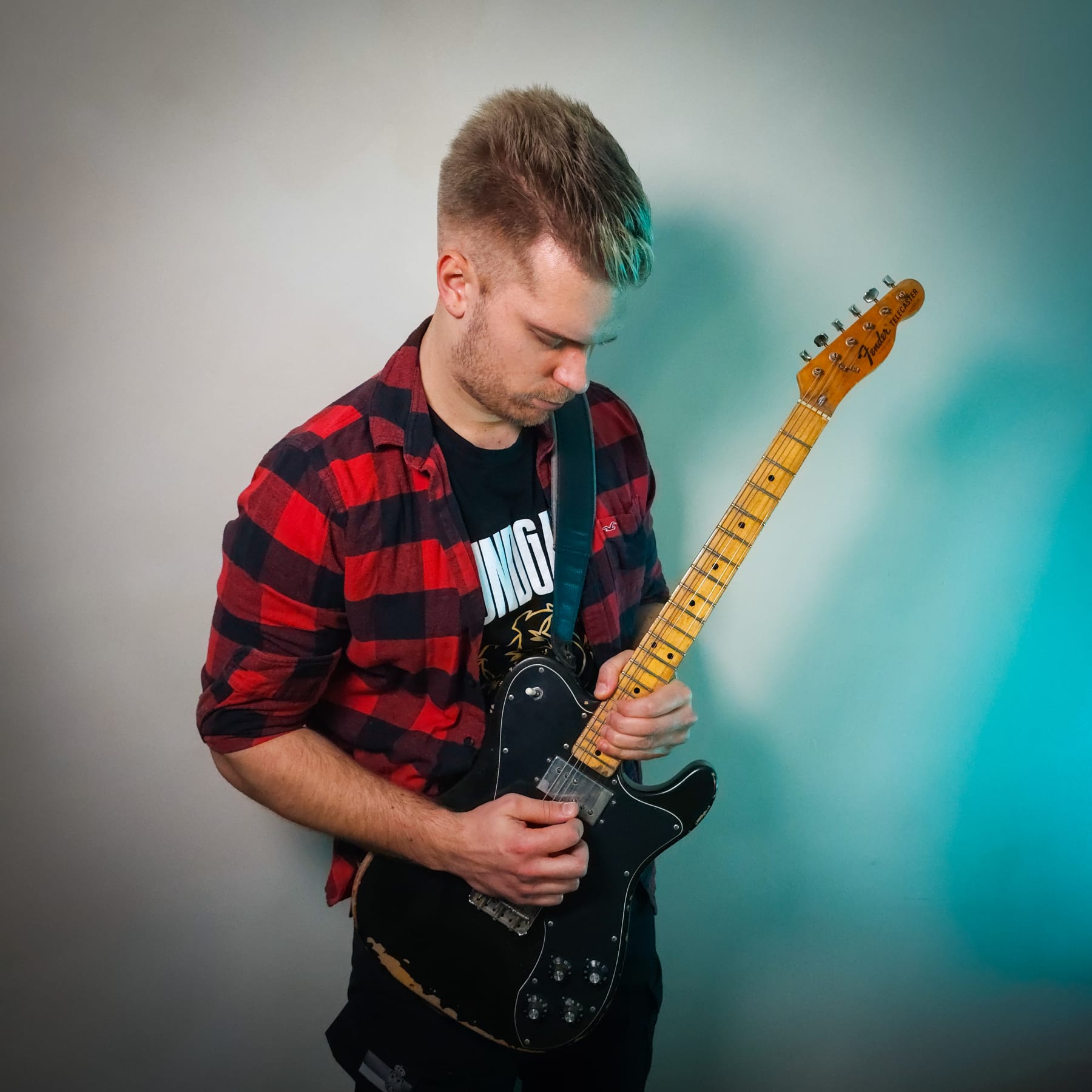
Marko Maletin
Created byMarko Maletin
Engineer, musician, plugin developer and founder of Slightly Technical.
Background
Hero image

Your coach

You’re quick to spot buzzing or hum, but you’re missing the root cause in your signal chain. Try tracing your cables one by one and listen for changes—this hands-on test will reveal where the problem starts.

Today's Lesson

7 min • Why Is My Recording Muddy?

Continue lesson
Checking current offer…
What you'll be able to do

Build patches that sound right beyond your bedroom

Start with a sound on your own rig, learn why it works, and turn each lesson into a better patch. Patchwise uses your device's verified controls, not one-size-fits-all settings.

Feature image

Another patch built!

That's your third patch in the bank, built on your own gear. Each one reflects a sound you can explain and use.

psychology

Know what shapes your patch

Gain, EQ, the cab, the effects and where they sit in the chain, explained in the words on your own unit — the app reads your manual — so you always know which control to reach for, and why.

tune

Build patches that are yours

Guided experiments on the modeler, profiler, plugin or modeling amp you own. No settings to memorize: make a change, hear what it does, and save the result on your gear.

auto_fix_high

Make every patch work in context

Check your gain, levels, cab simulation and routing for headphones, FRFR, a real cab, the PA or a recording, so a great patch remains useful outside the room where you built it.

Inside the course

From first patch to a gig-ready bank

Build usable patches on your own digital rig: start with your inputs and outputs, then shape gain, EQ, cabs and effects before checking the sound live and in recordings.

Feature showcase

Gear Check-In

Signal Flow Quiz

Today's Lesson

7 min • Why Is My Recording Muddy?

Start lesson

Hands-On Challenge

Including everything you need to succeed:

psychology

Built for your modeler, profiler, plugin or amp

keyboard_arrow_down

The app reads your device's manual and speaks in its words: your blocks, your menus, your outputs.

tune

Your first patch on day one

keyboard_arrow_down

Build and save a playable patch on the gear you own before diving into theory.

gamepad

Your unit, set up right

keyboard_arrow_down

Input level, impedance, output routing, cab simulation per output, global EQ: the module nobody else teaches, first.

quiz

Gain and the models behind it

keyboard_arrow_down

Where your model clips, what its Master and Sag are copying, how to choose a model by what it does rather than its name.

graphic_eq

EQ on the right side of the distortion

keyboard_arrow_down

Why the same cut does two different jobs before and after the modelled clipping.

auto_fix_high

Cabs and IRs by ear

keyboard_arrow_down

What a speaker does, what an IR freezes, which output gets one, and how to choose one without reading its name.

insights

Build song-ready patches

keyboard_arrow_down

Your unit's own switching and routing, taught on your unit, from its manual.

lightbulb

Build a gig-ready patch bank

keyboard_arrow_down

Level-matched presets, cab simulation set per output, and what the sound engineer receives when you go direct.

schedule

Make your patches record and post well

keyboard_arrow_down

Record it, re-amp it, make your own capture, and get a clip to the platform at the right level so it isn't re-processed.

Meet your guide

Built by someone who knows the amps behind your patches

Marko Maletin

Marko Maletin

Engineer, musician, plugin developer and founder of Slightly Technical.

I build, modify and repair the amplifiers and pedals that every modeler is trying to copy — and I write the code that copies them. After thousands of them on my bench, I hear the same problems from modeler players over and over: presets that sound huge in headphones and fall apart through a PA, gain set from an EQ nobody looked at, cab simulation sent to a real cab, and players scrolling a thousand presets without knowing which control would fix the one they have.

I'm an engineer and a musician, so I care about both sides of the signal chain, and about both sides of the analog-digital divide. I design and repair analog circuits, and I write the DSP that models them — my own plugins, including ReactIR, which models the way a real speaker and amplifier interact rather than pretending an impulse response is the whole story. Knowing what a clipping stage does to a waveform and knowing what it feels like to lose your tone when the volume comes up are the same knowledge approached from two directions. That combination shapes everything I teach here: what your unit's controls are copying, and what to listen for when you move them.

All of it runs through Slightly Technical. The website carries technical articles and interactive tools you can play with — amp biasing, tone stacks, negative feedback, transistors, guitar electronics — so you can hear and see what a circuit does instead of taking my word for it. There's the podcast, courses like Overdrive Pedals Demystified, and the plugins. The thread through all of it is the same: clear explanations instead of mystique, gear hype, or one-size-fits-all presets.

A lot of that work is taking apart things everybody repeats. Tube versus transistor. Chorus before or after distortion. Whether an IR is a speaker. I test them on the bench and by ear, then tell you what actually happens and what it depends on — because the answer nearly always depends on what's feeding the stage, which is the part nobody mentions.

This app brings that approach into a day-by-day course built around your unit, your outputs and the music you play. You won't just memorise a preset. You'll learn what each block is doing, how EQ behaves before and after the modelled clipping, why the same preset sounds different through an FRFR and a real cab, and how to carry a sound from your room to a stage, a recording and a clip. My hope is that this app helps you trust your ears, build presets you can explain, and become a more capable guitarist and a better-informed audio engineer.

20241117_143133

Follow Marko's process to build better patches

Set your unit up right, input to output
Hear what each block and control is copying
Set gain deliberately and name what's clipping
Shape EQ before and after the modelled distortion
Choose amp models and cab IRs by what they do
Build a responsive patch you can play for a whole song
Place delays, reverbs and modulation on purpose, with scenes
Build a level-matched patch bank and go direct at a gig
Record it, re-amp it, capture it
Post a clip that survives the platform
Built around your rig

A coach that helps you build better patches on your rig

Patchwise adapts each experiment to the modeler, profiler, plugin or modeling amp you use, your instrument and your listening setup. Learn the principles that carry between rigs while using the controls your own device actually has.

analytics

Diagnose & Fix: Why Is My Recording So Muddy?

Personalized Lesson • 12 min
Learn how to identify and solve muddy recordings using your own gear. This lesson adapts to your setup—whether you’re a home-studio producer or a guitarist—guiding you through real-world troubleshooting and the core principle of frequency masking.
What to do
play_circle
Choose your patch goal · 4 min
2 min
chevron_right
search
Find where it breaks up · 8 min
3 min
chevron_right
assignment
Hear what changed · 4 min
4 min
chevron_right
check_circle
Save your patch · 3 min
3 min
chevron_right
How it works

Your gear. Your patches. Better choices every day.

Start with the rig you already own. Build a usable patch, hear what each decision changes, then apply those principles to your next sound or another digital rig.

Onboarding Quiz

Which best describes your audio setup?

Home-studio musician/producer
Guitarist or bassist with pedals/amps
DJ or electronic performer
Podcaster or streamer
1

Tell us about your gear

Choose your instrument, modeler or plugin, and how you listen. Your lessons use your unit's controls and your real setup.

Your Plan

Week 1

Fixing Everyday Issues

Diagnosing Buzz & Hum
Understanding Signal Flow
Solving Connection Confusion
Cable & Adapter Basics
Week 2Upcoming

Mastering Core Principles

2

Get your patch-building plan

Start with a playable patch on your rig, then learn gain, EQ, cabs, dynamics and effects before building a bank that works live and in recordings.

Today, October 5

6
V

Gear Check-In

Update • 2 min

Signal Flow Quiz

Quiz • 3 min

Diagnose Muddy Recordings

Lesson • 7 min

Hands-On Challenge

Activity • 5 min

3

Improve one patch today

Try a guided change on your own unit. Listen, note why it worked, and save patches worth keeping in your device.

Your Progress

Audio Skills Progress

344 points

as of Aug 4

JulyOctober

Lessons Completed

43 lessons

as of Aug 4

JulyOctober
4

Build a bank you understand

Revisit your experiments, refine your saved patches and learn which choices transfer to another modeler, profiler, plugin or modeling amp.

It only takes 2 minutes to get started

starstarstarstarstar

Join over 1,000,000 people achieving their goals on Studio

Whatever your goal, find a life-changing app on Studio

Quote

The app is beyond compare!

The app is beyond compare! Best ever! I mean, this is like a Ferrari engine when I'm used to driving a tractor.
D
starstarstarstarstar
Daphne A.
Verified Studio customer
Quote

It's blown my mind

I love the app - it's blown my mind actually. I don't know how you've managed to make it so personalised but congratulations - it's just superb. I love how simple and uncomplicated it is (and very effective).
M
starstarstarstarstar
Martine L.
Verified Studio customer
Quote

The coaching is phenomenal

I use AI every day in my work and I absolutely love the app. The coaching is phenomenal. I've done multiple programs, but this is by far the best experience.
M
starstarstarstarstar
Monica R.
Verified Studio customer
Quote

I'm blown away by the personalization

As I use this app, I'm blown away by the personalization - it feels like it truly understands what I need. I can't say enough positive things about this app; it's been a game changer.
W
starstarstarstarstar
William T.
Verified Studio customer
Quote

Brilliant app! Five stars are not enough!

Brilliant app! Five stars are not enough! I cannot recommend this app more highly!
J
starstarstarstarstar
Jane M.
Verified Studio customer
Quote

This app is everything that I have been looking for

This app is everything that I have been looking for because it feels so personalized. I'm trying to accomplish extraordinary change in my life and that is exactly what I needed. Nothing but positive feedback from me, thank you again!
A
starstarstarstarstar
Amy C.
Verified Studio customer
Quote

Worth every penny

I have been using the app for over a month and it is proving to be worth every penny by providing personalized support, strategies and education in a structured environment that has really helped me to stay focused. It's a phenomenal tool!
T
starstarstarstarstar
Tim P.
Verified Studio customer
Quote

It's making a huge difference for me

I want to sincerely thank you for creating this product. I have not been a huge fan of AI in general, but this use case is exceptional. It's making a huge difference for me.
A
starstarstarstarstar
Alana G.
Verified Studio customer
Quote

Thank you for creating this app!

I'm only on day 4, but I already feel like the weight of the world has been lifted off my shoulders. Thank you for creating this app! It's already making such a difference <3
A
starstarstarstarstar
A. U.
Verified Studio customer
Quote

I am blown away

I went in with no expectations really. I've been in online coaching for 15 years professionally, and I know how hard it is to deliver something that is accessible and progressive. I am blown away.
B
starstarstarstarstar
Brahim
Verified Studio customer
Quote

One of the best discoveries ever

Studio has been one of the best discoveries ever. This app is amazing; fun, enjoyable, and so incredibly useful. I've never been one to use apps like these too much, but yours just blew my mind.
M
starstarstarstarstar
Maria
Verified Studio customer
Quote

I accomplished more in 4 weeks than 10 years

I feel like I accomplished more in the past 4 weeks than I did the past 10 years. I'm amazed by what you were able to pull off with Studio and I hope more people benefit from it.
M
starstarstarstarstar
Marty
Verified Studio customer
Forbes logoABC logoWall Street Journal logoVariety logoTechCrunch logo
FAQ

Your questions, answered

Who is this app for?
expand_more
What will I learn?
expand_more
Does it work with my unit?
expand_more
Why not just watch YouTube? It's free.
expand_more
Do I have to play loud?
expand_more
Will Patchwise give me ready-made patches?
expand_more
Do I need to buy anything?
expand_more
I play bass. Is this for me?
expand_more
How much time does it take?
expand_more
Do I have to record or upload anything?
expand_more
Is this a mixing course?
expand_more
Ready to hear the difference?

Build patches that are yours — on the gear you own.

Start with your modeler, profiler, plugin or modeling amp. Make your first patch, hear why it works, and build toward a bank you can trust.